
Chrome extension
Note, Save, Track and Deduplicate!
For craigslist, AutoTrader, CarGurus, Cars.com and Classics!
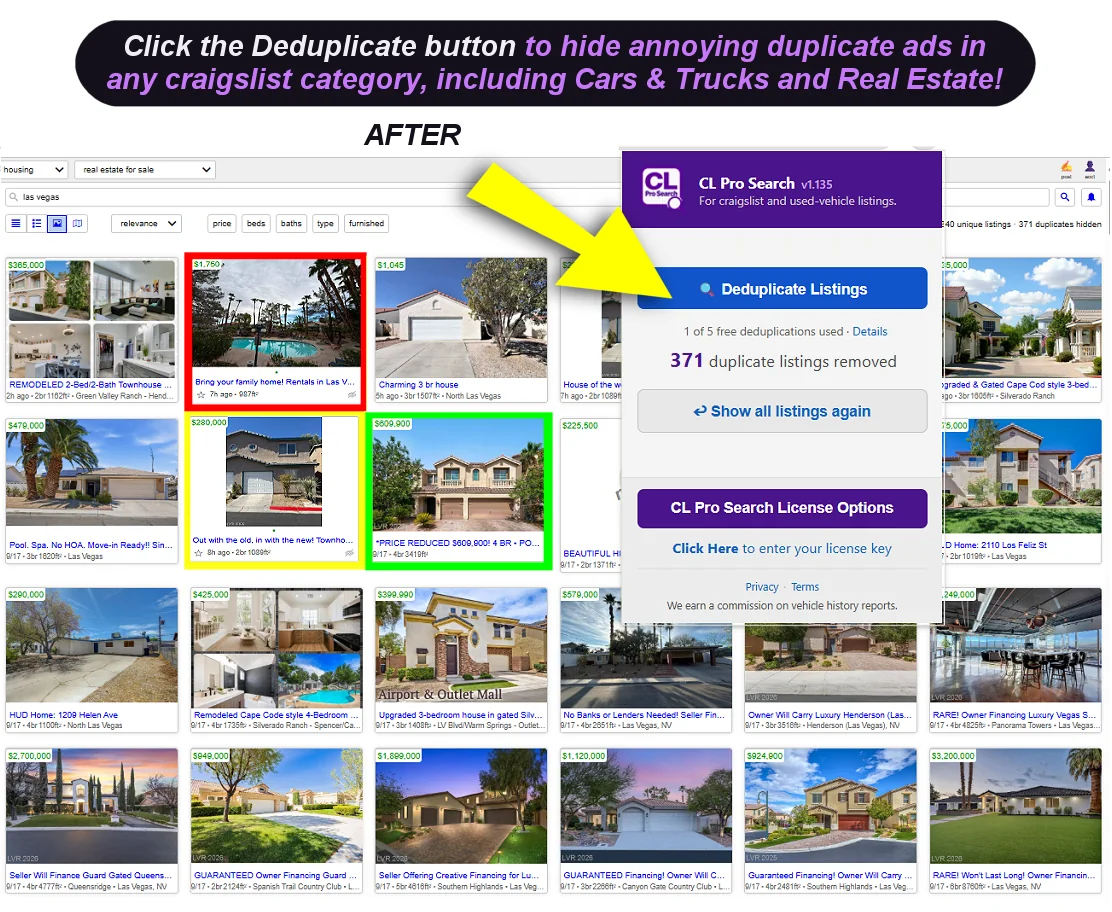
Use the arrows to step through
What it does
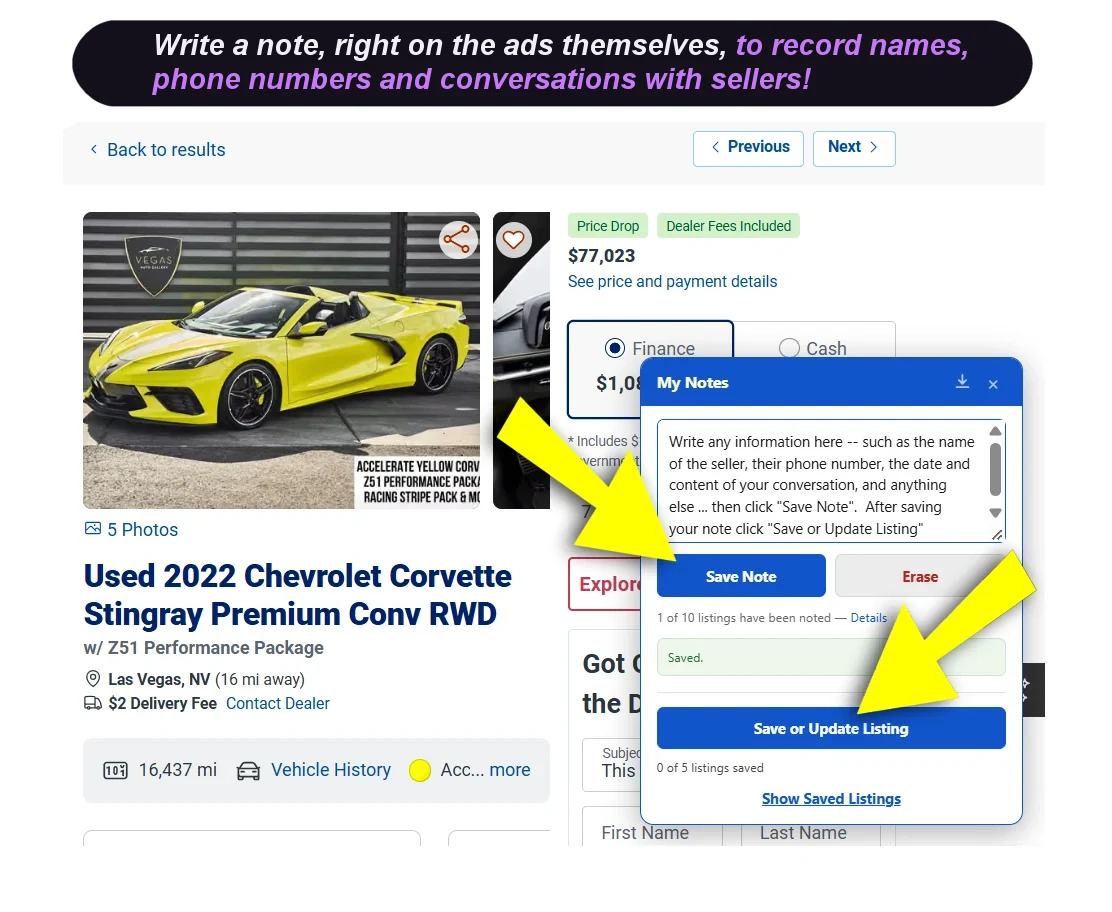
Note — Click ‘My Notes’ on any listing to record details not included in the ad … like the seller’s name, phone number and conversation details, or even notes to yourself. Your notes remain attached to that listing, and save as part of your saved listing. Notes are always kept private and never leave your computer.
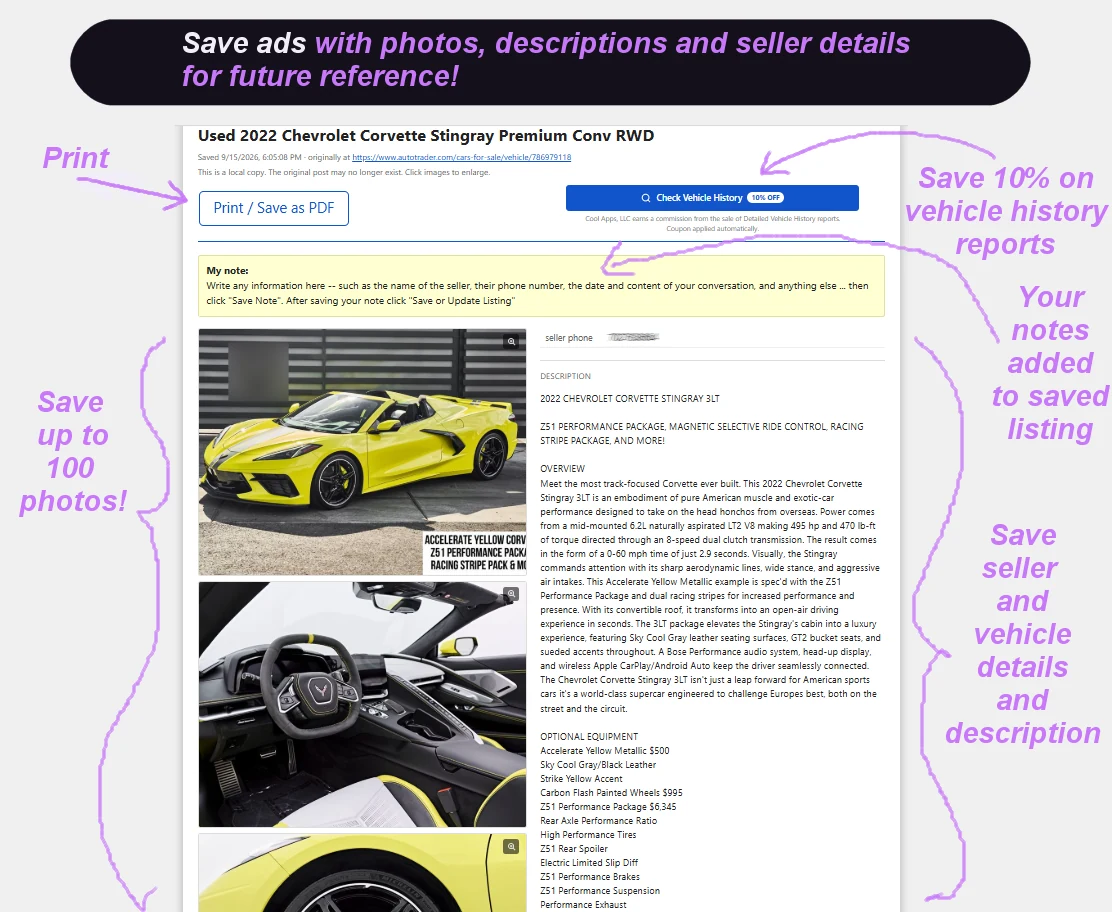
Save a complete copy of a car or classified ad right on your own computer with up to 100 photos, price, description, seller details, and more! Your saved listings get stored in Downloads / CLProSearch on your computer and will survive even after ads are removed online!
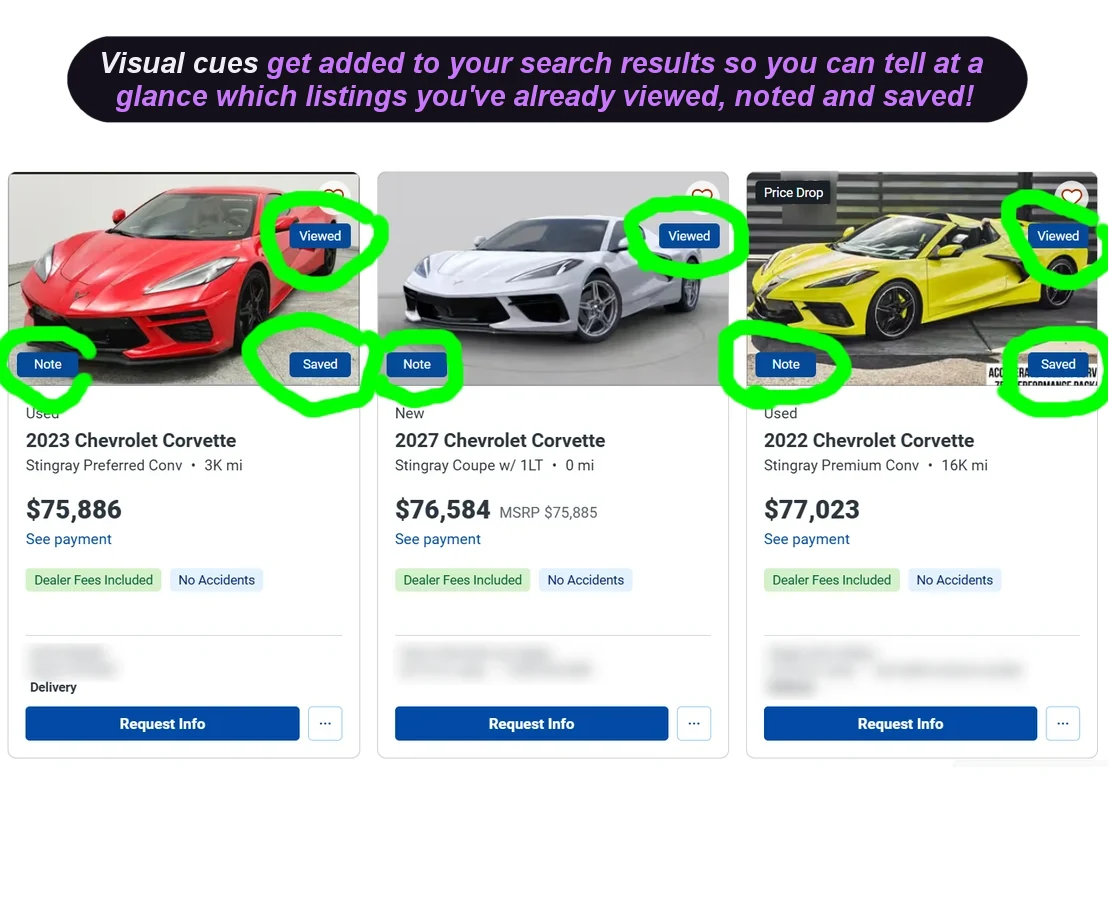
Track — Listings you’ve already opened, noted or saved are marked in the search results, so you won’t read the same ad twice (unless you want to).
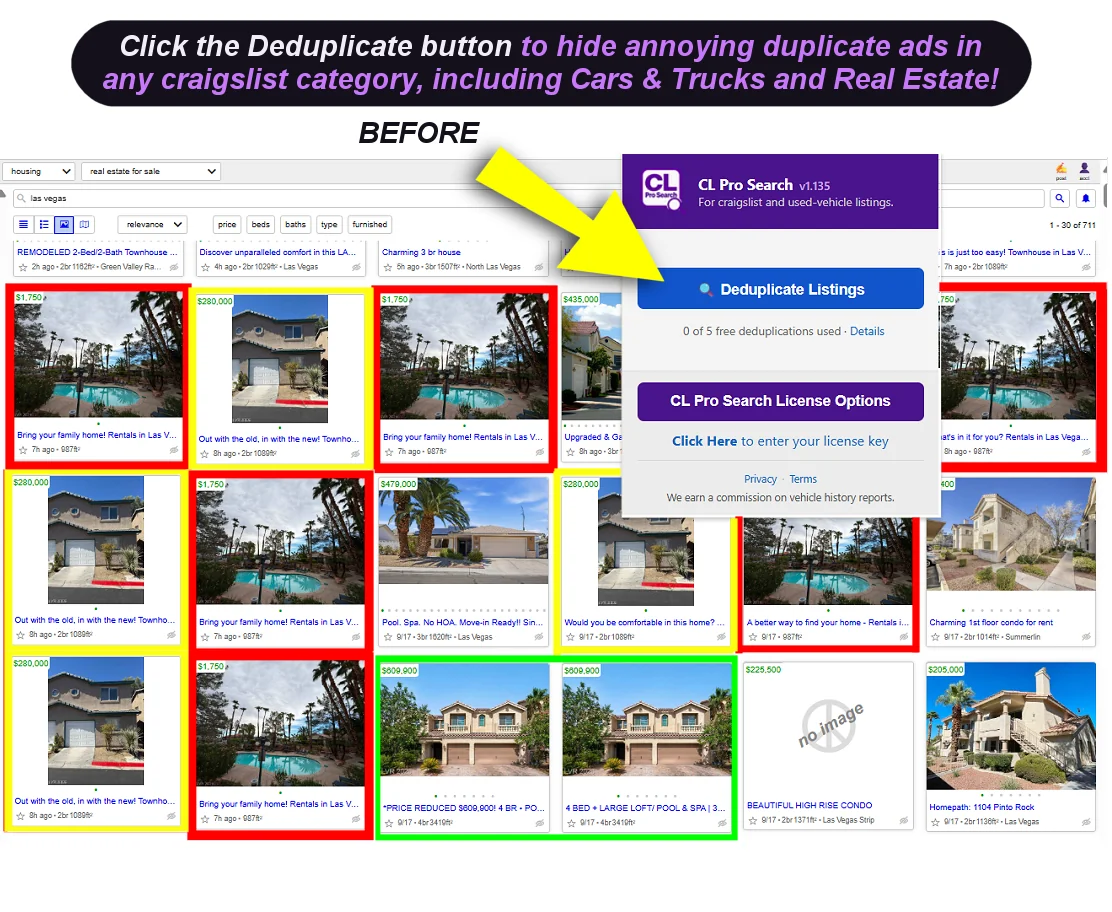
Deduplicate — On craigslist, one click will hide annoying duplicates of the same ad and tells you how many it hid. (And if you prefer the clutter, one more click will bring them all back.)
Shop smart and save
Get a Detailed Vehicle History report with 10% Discount
When you save a used-vehicle listing you keep a complete copy of it on your own computer with photos, price, seller details, and more — which survives even after ads are removed. A Check Vehicle History button appears at the top of your saved listings. Clicking it allows you to save 10% on the purchase of a Detailed Vehicle History report. Cool Apps LLC earns a commission on reports you purchase and using our affiliate link costs you nothing extra. Thank you for supporting Cool Apps LLC. (Note: Saved new-vehicle listings have no button since they have no history to report.)
Affiliate disclosure
How this is paid for
Cool Apps LLC earns money from CL Pro Search in two ways. Both are set out here rather than left for you to discover.
Licenses. CL Pro Search is free to try. A single free allowance covers saving listings, taking notes and hiding craigslist duplicates. The exact limits for each are set out in the Terms of Service. Continuing after the free allowance period requires a license: $9.99 for one year, or $19.99 for a lifetime license, both in US dollars. Each is a single payment, nothing renews automatically and no card is kept on file. A one-year license simply ends, and renewing is a fresh decision you make each year. Refunds are available within 14 days, no reason needed. Payments are handled by Link as the merchant of record — your statement will read LINK.COM rather than Cool Apps LLC.
Affiliate commission. Cool Apps LLC earns a commission when you purchase a Detailed Vehicle History report through the Check Vehicle History button on saved used-vehicle listings. Your 10% discount is applied automatically and the commission we receive costs you nothing extra. The button is never restricted — it works whether you hold a license or not, and listings you have already saved remain accessible even after your free allowance is spent. Creating new saved listings is part of your free use allowance — without a license you can save at most five.
We are not paid to recommend any particular vehicle, listing, or seller, and the extension never changes which listings you see based on who pays us.
You must be 18 or older to use CL Pro Search. The full terms are in the Terms of Service, and what we do with your information is in the Privacy Policy.